Skip to content
  • Qbit IT Services
    • IT Support Perth
      • Managed IT Services Perth
      • Service Bank
      • How to Evaluate a new MSP
      • Managed Services Kalgoorlie
      • Internal IT Department Support
      • Office IT Relocations
      • Book your IT Assessment Perth
    • IT Solutions
      • Cabling & Physical Security
      • SharePoint
      • Microsoft 365
      • Hardware & Software
      • Infrastructure Upgrades
      • Business Continuity & Backups
      • Business Phone Solutions
      • Business Mobile Phone Plans
      • Business Grade NBN
      • Data Storage
      • Web Hosting Services
      • Cloud Computing Perth
    • Cyber Security
      • Managed Security Services Perth
      • SMB1001 Certification
      • Essential Eight Cybersecurity Framework
      • Notifiable Data Breaches
      • Cyber Security Tools
      • DISP Cybersecurity Support
  • Industry Specialist
    • Professional Services
      • Accounting
      • WA State Government (CUAICTS2021)
      • Legal Practices
      • Not For Profit
      • Real Estate
      • Small Business
      • Corporate IT Support
    • Industry & Infrastructure
      • Engineering
      • Mining
      • Construction
      • Architecture
    • Medical
      • Aged Care Facilities
      • Dental IT Support
      • Medical IT Support
  • About Us
    • Westminster Office
    • West Perth Office
    • Our People
    • Frequently Asked Questions
    • Our Values
    • Client Testimonials
    • Case Studies
    • Our Partners
    • Community and Social Responsibility
    • Awards & Certifications
    • News & Blogs
  • IT Specials
  • Client Tools
Contact us Call (08) 6364 0600
  • Qbit IT Services
    • IT Support Perth
      • Managed IT Services Perth
      • Service Bank
      • How to Evaluate a new MSP
      • Managed Services Kalgoorlie
      • Internal IT Department Support
      • Office IT Relocations
      • Book your IT Assessment Perth
    • IT Solutions
      • Cabling & Physical Security
      • SharePoint
      • Microsoft 365
      • Hardware & Software
      • Infrastructure Upgrades
      • Business Continuity & Backups
      • Business Phone Solutions
      • Business Mobile Phone Plans
      • Business Grade NBN
      • Data Storage
      • Web Hosting Services
      • Cloud Computing Perth
    • Cyber Security
      • Managed Security Services Perth
      • SMB1001 Certification
      • Essential Eight Cybersecurity Framework
      • Notifiable Data Breaches
      • Cyber Security Tools
      • DISP Cybersecurity Support
  • Industry Specialist
    • Professional Services
      • Accounting
      • WA State Government (CUAICTS2021)
      • Legal Practices
      • Not For Profit
      • Real Estate
      • Small Business
      • Corporate IT Support
    • Industry & Infrastructure
      • Engineering
      • Mining
      • Construction
      • Architecture
    • Medical
      • Aged Care Facilities
      • Dental IT Support
      • Medical IT Support
  • About Us
    • Westminster Office
    • West Perth Office
    • Our People
    • Frequently Asked Questions
    • Our Values
    • Client Testimonials
    • Case Studies
    • Our Partners
    • Community and Social Responsibility
    • Awards & Certifications
    • News & Blogs
  • IT Specials
  • Client Tools
News & Blogs

Why Make The Switch To Windows 11

Why Making the Switch is Worth It 

With the Windows 10 end of life looming in October 2025 many business need to start planning their Windows 11 upgrade. Most computers that are under 3 years old will be compatible with Windows 11 and can be upgraded.  

For many businesses and individuals, the operating system (OS) is the backbone of their digital experience. With the advent of Windows 11 Pro, Microsoft has introduced a host of new features and improvements that make upgrading from Windows 10 Pro a compelling choice. This blog delves into the benefits of making the switch, particularly focusing on the enhanced security features and the hardware requirements necessary to run Windows 11 Pro. 

Enhanced Security Features 

One of the most significant reasons to upgrade to Windows 11 Pro is the enhanced security features that Microsoft has integrated into this new OS. As cyber threats continue to evolve, having robust security measures is more critical than ever. 

TPM 2.0 and Secure Boot 

Windows 11 Pro mandates the presence of a Trusted Platform Module (TPM) 2.0 chip, which enhances hardware-based security. The TPM 2.0 chip works by encrypting data and ensuring that the machine boots with trusted software only. Secure Boot, another mandatory feature, ensures that the system boots using only software that is trusted by the PC manufacturer. This combination makes it significantly harder for malicious software to compromise the boot process. Most computers sold in the last 3 years have a TPM 2.0 chip and pass this requirement. Unfortunately, if your device does not have this chip it needs to be replaced. 

Virtualization-Based Security (VBS) 

Windows 11 Pro also incorporates Virtualization-Based Security (VBS) and Hypervisor-Protected Code Integrity (HVCI). VBS uses hardware virtualisation features to create and isolate a secure region of memory, which increases the security of the system by preventing attacks from executing malicious code. 

Windows Hello for Business 

Windows Hello for Business is another advanced feature aimed at enhancing security. This feature provides a more secure and convenient way to sign in using biometrics (fingerprint, facial recognition) or a PIN. It eliminates the need for passwords, which are often a weak link in security frameworks. 

Enhanced Phishing Protection 

With phishing attacks becoming increasingly sophisticated, Windows 11 Pro has stepped up its game with enhanced phishing protection features. The OS now provides better warning systems and detection algorithms to help users avoid falling victim to phishing scams. 

Improved Performance and Productivity 

Beyond security, the Windows 11 upgrade offers several performance and productivity enhancements that make moving on from Windows 10 end of life worthwhile.

Snap Layouts and Snap Groups 

The Windows 11 upgrade introduces Snap Layouts and Snap Groups, allowing users to organise their open windows more efficiently, a significant improvement over what was available in Windows 10. These features enable users to multitask like never before, making it easier to manage multiple applications simultaneously. 

Direct Storage 

Direct Storage is another groundbreaking feature available with the Windows 11 upgrade that reduces load times in games and applications by allowing assets to load directly from the NVMe SSD to the GPU without burdening the CPU. This results in faster load times and a smoother experience, particularly beneficial for gamers and creative professionals. 

Redesigned User Interface 

The user interface in Windows 11 Pro has been redesigned to be more intuitive and user-friendly. The centred Start menu, rounded corners, and new icons offer a fresh and modern look that enhances the overall user experience. 

Microsoft Teams Integration 

With remote work becoming the norm, Microsoft Teams integration in Windows 11 Pro allows for seamless communication and collaboration. The new OS has made it easier to initiate and manage Teams meetings, making remote work more efficient. 

Hardware Requirements for Windows 11 Pro 

Completing a Windows 11 upgrade also involves meeting specific hardware requirements to ensure smooth operation of the OS, especially as Windows 10 end of life approaches. Below are the minimum specification that Qbit recommends for a modern office computer. 

  • Processor: 11th Gen i5 CPU 
  • RAM: 16 GB or more. 
  • Storage: 256 GB or larger storage device. 
  • System Firmware: UEFI, Secure Boot capable. 
  • TPM: Trusted Platform Module (TPM) version 2.0. 
  • Graphics Card: DirectX 12 compatible graphics / WDDM 2.x. 
  • Display: >9” with HD Resolution (720p). 
  • Internet Connection: Internet connectivity is necessary to perform updates and to download and take advantage of some features. 

Checking Compatibility 

Before going ahead with your Windows 11 upgrade, it’s essential to check if your current hardware meets these requirements. Microsoft provides a PC Health Check tool that can help you determine if your device is compatible with Windows 11 Pro. If your system falls short of these requirements, you may need to consider hardware upgrades to fully benefit from the new OS. 

Future-Proofing Your System 

Meeting these hardware requirements not only ensures a smooth Windows 11 upgrade but also future-proofs your system for upcoming updates and applications that will take full advantage of the new OS capabilities. 

Conclusion 

The transition from Windows 10 Pro to Windows 11 Pro offers numerous benefits, particularly in the realm of security. Enhanced features like TPM 2.0, Secure Boot, VBS, and Windows Hello for Business provide robust protection against modern threats. Additionally, performance enhancements, a redesigned user interface, and improved productivity tools make Windows 11 Pro a significant upgrade. 

While the hardware requirements may necessitate some investment, the advantages of upgrading make it a worthwhile endeavour. By ensuring your system meets the necessary specifications, you can fully leverage the capabilities of Windows 11 Pro and set yourself up for a future-proof, secure, and efficient computing experience.  

If you are a current Qbit customer under our IT Management Plans, your account manager will guide you through the Windows 11 upgrade process, advising which of your fleet needs an upgrade before Windows 10 end of life. It is important not to leave it to the last minute to get onto the upgrade journey.   

If you are not a Qbit customer then reach out for a free assessment and talk to one of our knowledgeable business development managers for an obligation free assessment. 
Related articles

Back to blog
Featured

Leading Perth IT Company “Qbit IT Solutions” Ranked #4 MSP in Australia and #1 Western Australian-Owned MSP in Cloudtango MSP Select 2026

We are proud to announce that Qbit IT Solutions, a leading Perth IT company and provider of managed IT services Perth businesses trust, has been...
June 9, 2026
Featured

Why ISO 27001 Certification Matters: How Qbit Protects Businesses with Industry-Leading Information Security

In today’s digital landscape, information is one of the most valuable assets any organisation owns. From customer records and financial data to intellectual property and...
June 9, 2026
Featured

Celebrating 20 Years of Qbit: A Journey of Resilience, Growth & Innovation

In 2006, two founders, a tiny office, and a big dream set the stage for what would become Qbit. Today, in 2026, we celebrate 20...
February 12, 2026

How Much Do Managed IT Services Cost in Perth? 2026 Pricing Guide for WA Businesses

The short answer Most Perth businesses pay between $110 and $250 per user, per month (ex GST) for fully managed IT services and Managed Security...
October 9, 2026

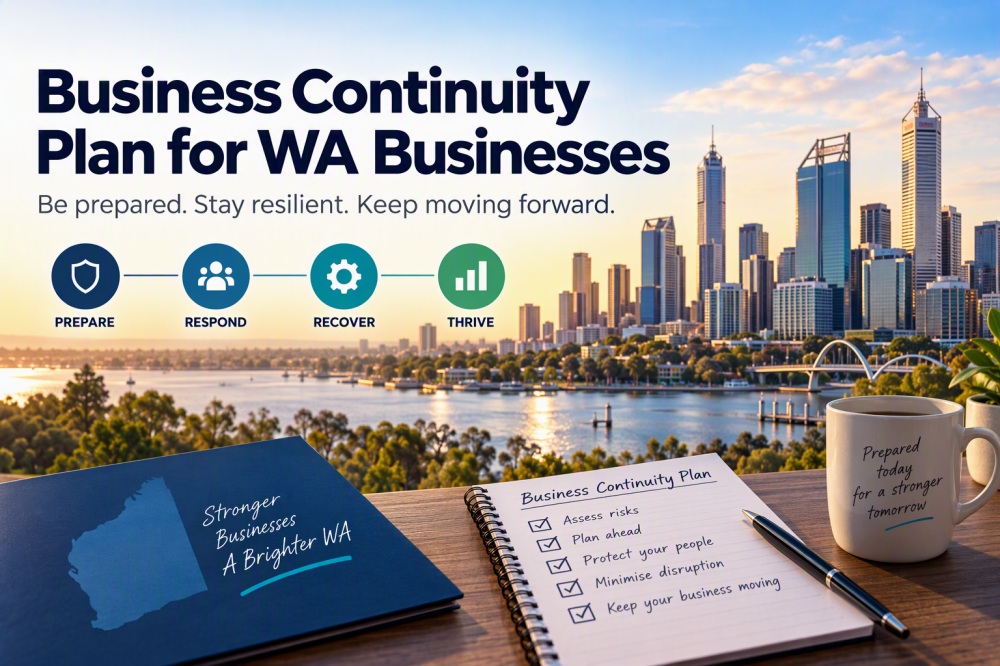
Business Continuity Plan – for WA Businesses

Why WA businesses need a different plan A business continuity plan (BCP) is a written plan for how your business keeps operating, or gets back...
October 9, 2026
Why Patching Windows and Other Applications Is More Important Than Ever

Why Patching Windows and Other Applications Is More Important Than Ever

  It is Tuesday again. More specifically, it is Patch Tuesday, the day each month when Microsoft releases security updates for Windows and other Microsoft...
September 16, 2026
Back to blog

Trusted & Certified

Quality, security, environment and safety, all independently certified.

Contact usGet a free IT environment assessment
ISO 9001 – Quality Management
ISO 14001 – Environmental Management
ISO 27001 – Information Security
ISO 45001 – Occupational Health & Safety
SMB1001 Gold Certified
Cloudtango MSP Select 2026
Qbit of APAC Titans Finalist 2026
2026 APAC - MSP Titans of the Industry Finalist
Qbit IT Solutions

Trusted & Certified

Quality, security, environment and safety, all independently certified.

Get a free IT environment assessment Contact us
  • Qbit IT Services
    • Industries
    • IT Solutions
    • Cyber Security Services
  • About Us
    • Our People
    • Case Studies
    • Our Partners
    • News & Blogs
  • Client Tools
  • IT Specials
  • Contact us

Our Locations

West Perth Office 1/45 Ord St,
West Perth WA 6005
(08) 6364 0600

Monday to Friday 7:30am till 5pm
with after hours support to current clients.

Westminster Office 16 / 386 Wanneroo Road
Westminster WA 6061
(08) 6364 0600

Monday to Friday 7:30am till 5pm
with after hours support to current clients.

  • Qbit IT Services
    • Managed IT Services Perth
    • Service Bank
    • How to Evaluate a new MSP
    • Managed Services Kalgoorlie
    • Internal IT Department Support
    • Office IT Relocations
    • Book your IT Assessment Perth
  • IT Solutions
    • Cabling & Physical Security
    • SharePoint
    • Microsoft 365
    • Hardware & Software
    • Infrastructure Upgrades
    • Business Continuity & Backups
    • Business Phone Solutions
    • Business Mobile Phone Plans
    • Business Grade NBN
    • Data Storage
    • Web Hosting Services
    • Cloud Computing Perth
  • Cyber Security
    • Managed Security Services Perth
    • SMB1001 Certification
    • Essential Eight Cybersecurity Framework
    • Notifiable Data Breaches
    • Cyber Security Tools
    • DISP Cybersecurity Support
  • Industry Specialist
    • Architecture
    • Construction
    • Corporate IT Support
    • Dental IT Support
    • IT Support for Accountants
    • IT Support for Aged Care Facilities
    • IT Support for Engineering
    • IT Support for Law Firms
    • IT Support for Mining
    • IT Support for Not For Profit
    • IT Support for Real Estate
    • Medical IT Support
    • Small Business IT Support
    • WA State Government (CUAICTS2021)
  • About Us
    • Frequently Asked Questions
    • Awards & Certifications
    • Our People
    • Case Studies
    • Client Testimonials
    • Our Partners
    • Community and Social Responsibility
    • News & Blogs
  • Facebook
  • Instagram
  • YouTube
  • LinkedIn
  • TikTok
  • 365 Terms and conditions
  • Terms and Conditions
  • Privacy Policy
© 2026 Qbit IT Solutions Pty Ltd
Website by Organik Web